Learn · Speed · 2 min read
Search and the command palette
Two keystrokes cover everything findable in Wodo.
⌘K: the command palette
⌘K (or Ctrl+K) opens the palette. Empty, it's navigation: jump to any of your spaces, open settings, create a space, switch theme. Start typing and it becomes search over the current space: items, documents, and comments, ranked sensibly (title matches first).
Niceties worth knowing:
- Type an item's short ID (
WDO-123) to jump straight to it. -wordexcludes a term;"exact phrase"matches exactly.- A checkbox includes archived items, because "didn't we solve this last year?" is exactly when you search.
⌘⇧K: the whole organization
⌘⇧K searches across every space you have access to, current project or not, archived or not (with the toggle). Results say which space they came from.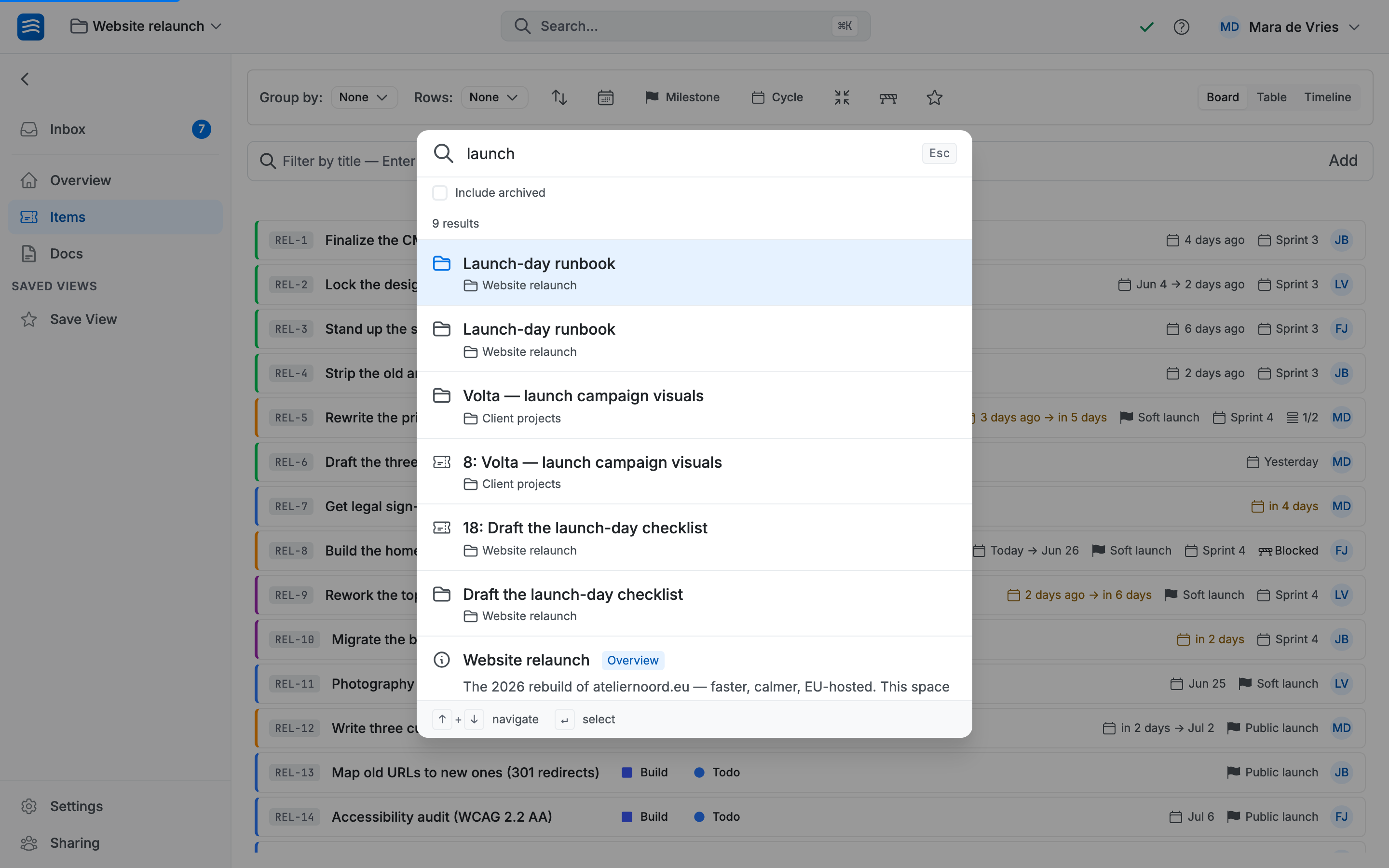
This is the institutional-memory key. The supplier issue from two projects ago, the decision document someone wrote in another team's space, the cancelled item with the explanation attached: one query, regardless of where it lives.
Access rules apply as always: search shows you what you could open anyway, and nothing more.