Learn · Running an organization · 3 min read
Import and export
The export exists so that staying with Wodo is a choice, not a trap.
Exporting a space
From the admin spaces list, any space exports two ways:
- Space data — a single JSON file with everything textual: items, documents, comments, labels, views, history of who said what.
- Full archive — a ZIP with the data plus every attachment. The download streams directly from the region where the space lives.
No throttling, no "contact sales to export", no tier where this unlocks.
Treat the resulting file with care: an export is complete, which means it contains personal data: names, comments, who did what and when. That's also why exporting is reserved for organization admins, and why every export is recorded in the audit log: complete answers to "who has taken a copy of this data, and when" are exactly what your own privacy obligations will ask of you. Once downloaded, protecting the file is your responsibility.
Importing a space
Manage Spaces → Import Space walks through it:
- Choose a region and an archive — where the imported space should live, and the export file (full ZIP or data-only JSON).
- Upload — chunked and resumable; a dropped connection on a 2 GB archive continues where it stopped, re-uploading only missing parts.
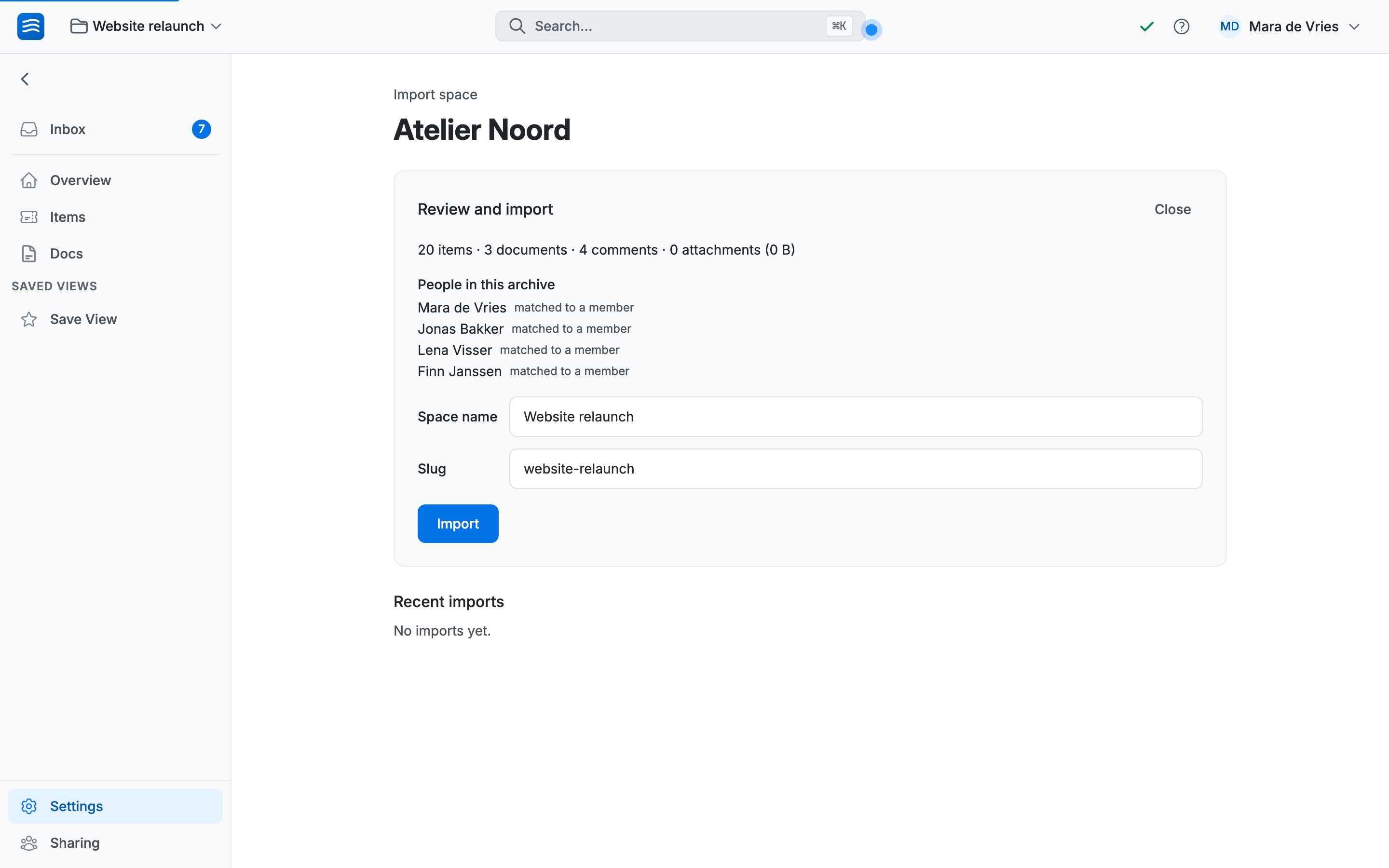
- Review before anything happens: the wizard shows what it found (items, documents, comments, attachments and their size), any warnings, and a people-mapping table: who in the archive matches a current member, and who doesn't. Unmatched people keep their names on comments; their assignments are dropped rather than guessed.
- Import — with progress, then a link to the new space.
If an import completes with some attachments missing (a truncated archive, a hiccup), Heal attachments lets you re-upload the archive against the finished import; only what's missing is restored. No starting over.
A format you can build on
The wizard above takes Wodo's own export format. A space exported from one Wodo organization or region imports into another, complete, which also makes export/import the way to move a space between regions.
Coming from another tool? Jira, Linear, Asana, and Trello import directly (in the app or with an open-source CLI) and land in this very same review step.
And because an exit story you can't verify is just a promise, the export format itself is documented: developers can read the space export format and build their own tooling against it.