Learn · Context that travels · 4 min read
Discussions
Every document accumulates questions. Chat scatters the answers across a scrollback nobody will search next quarter. A discussion pins the conversation to the exact words it is about, and stays there.
Start one from the text
Select a passage and a small menu appears right at the selection. Choose Discuss and the discussion starts there. The selection becomes its first anchor and its quote seeds the title. It's editable, because a quote is where a topic starts, not what it's called. The passage stays highlighted in the text, the conversation lives in a panel beside it, and each one is a click away from the other.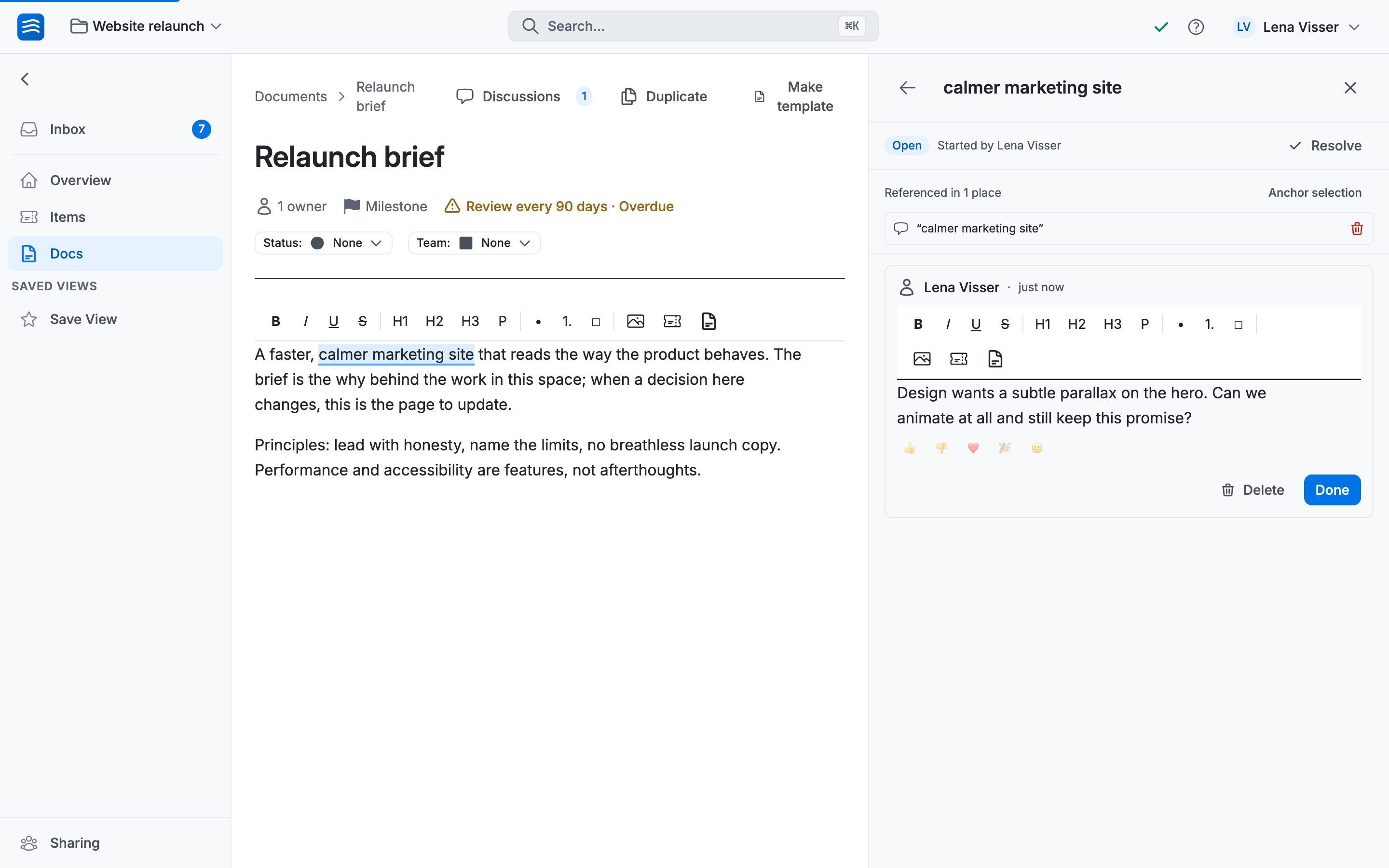
One conversation, many places
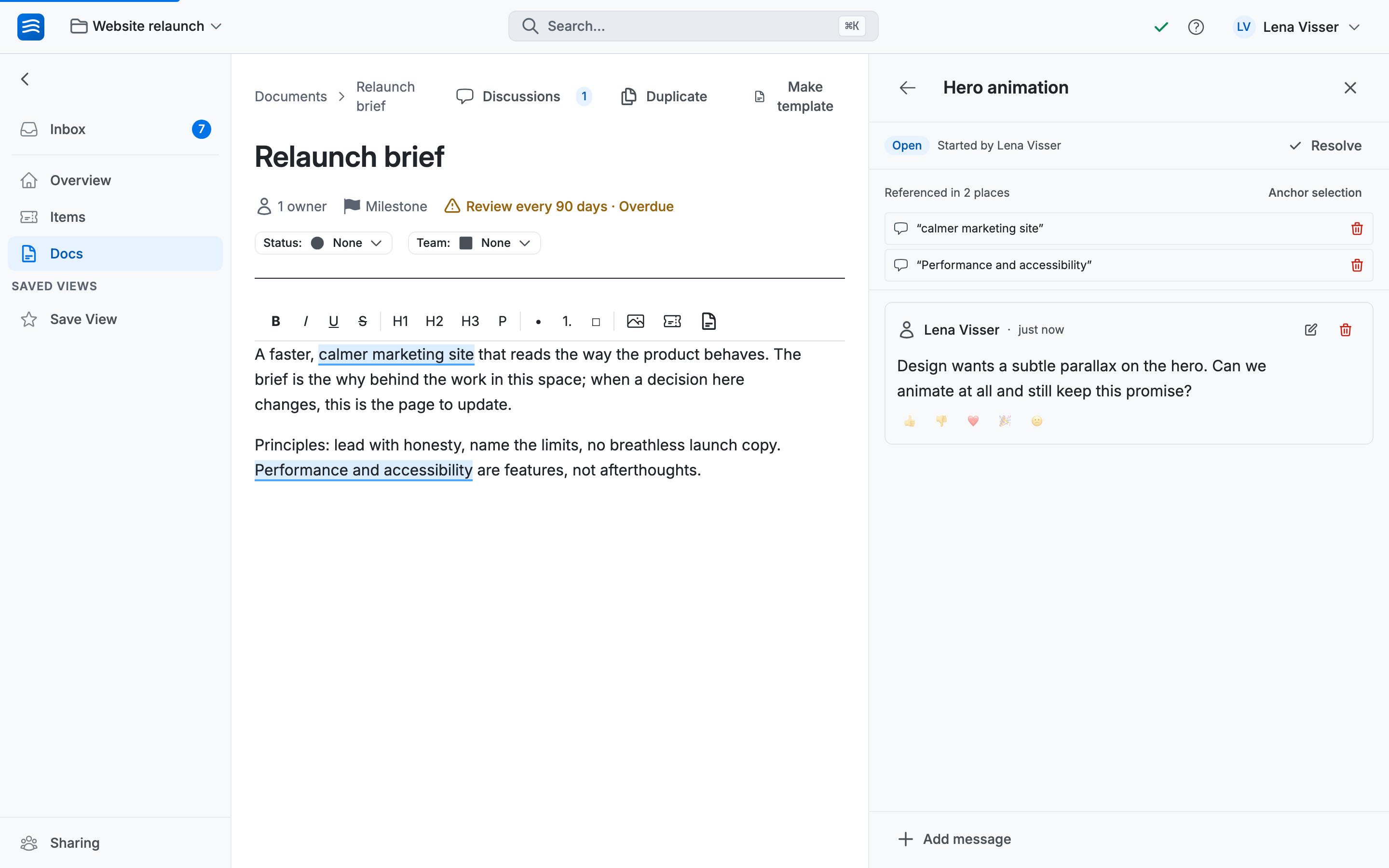
The same question often touches more than one passage: a principle in the brief and the requirement that contradicts it. Margin comments force a choice: pick one spot, or split the thread. A discussion can anchor to several places at once: select another passage, and the menu now also offers Add to discussion…; pick one by title and the selection joins it as another anchor. The panel shows Referenced in 2 places, and each chip jumps straight to its spot. One conversation, not three half-copies.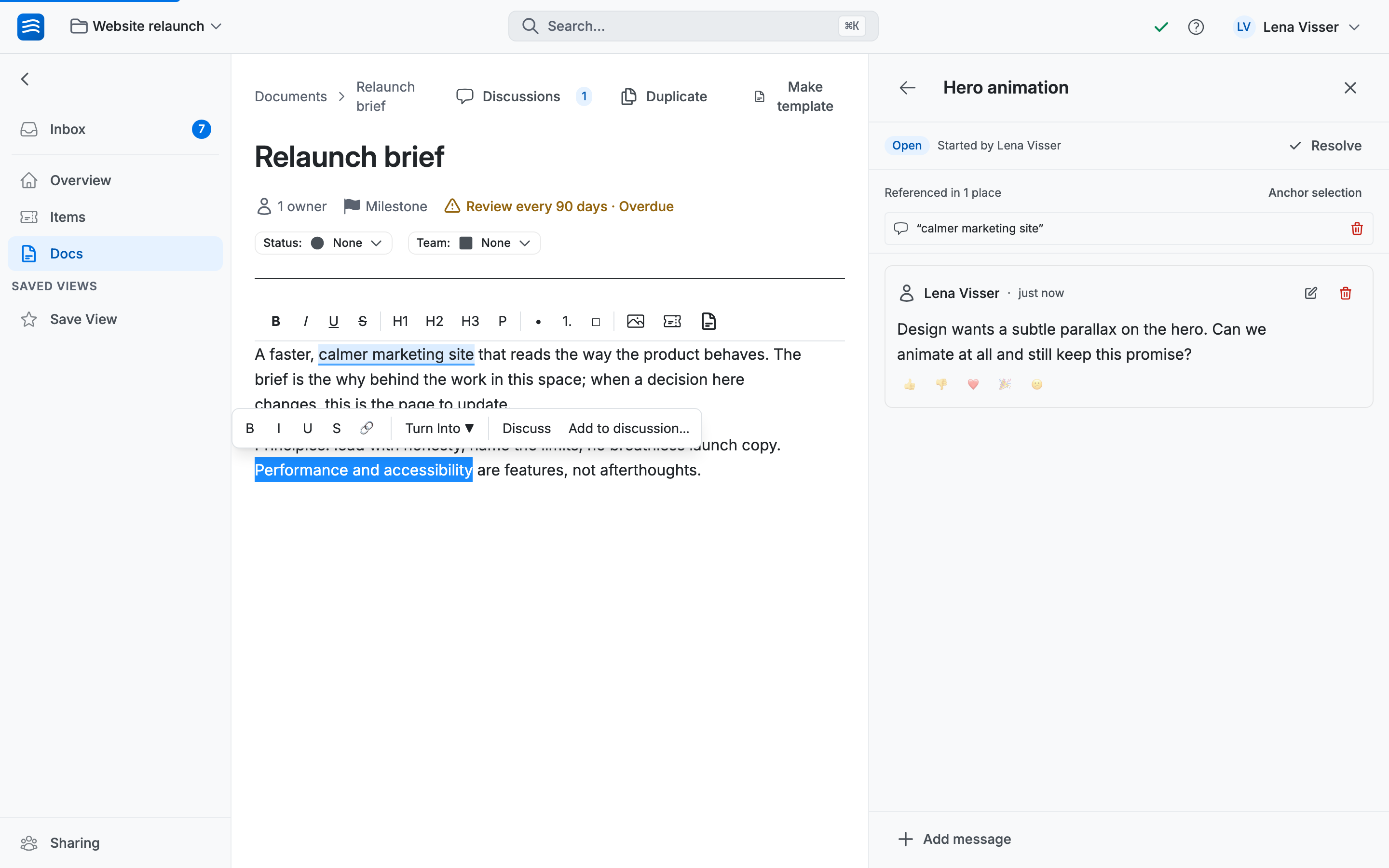
Talk it out, then resolve
Messages are written live: colleagues watching the discussion see your draft take shape, like everything else in Wodo. Reactions cover the "agreed, nothing to add" reply. And when it is settled, you don't let the thread trail off. You Resolve it, with a one-line Decision. Resolved discussions move to their own tab and their highlights fade to a ghost tint. Six months later, that tab reads as the document's decision log.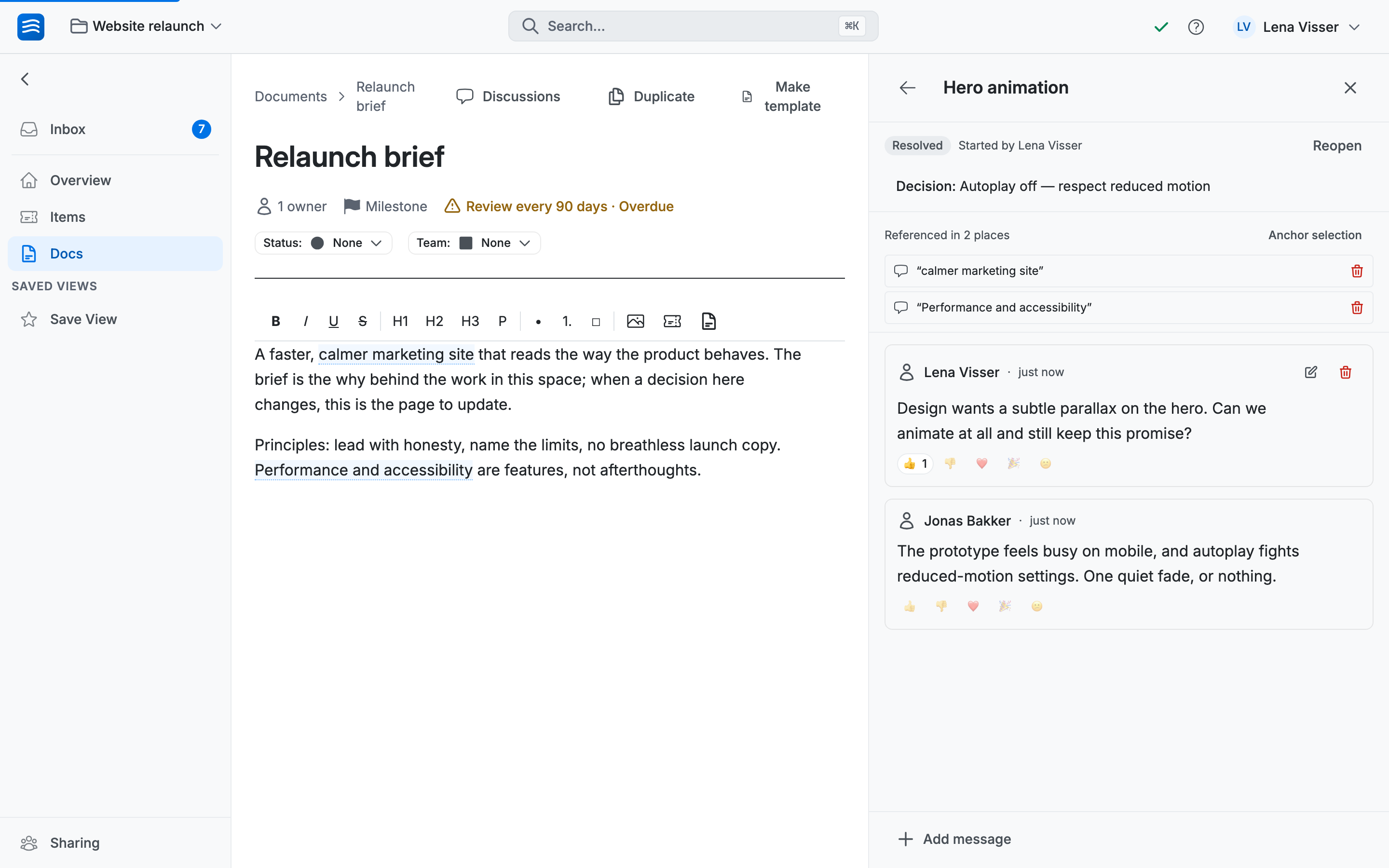
Nothing gets lost
Come back later and a N new divider marks exactly where you stopped reading; unread discussions show a dot in the list. Mention someone with @ and it lands in their inbox with a link that opens the document and the discussion.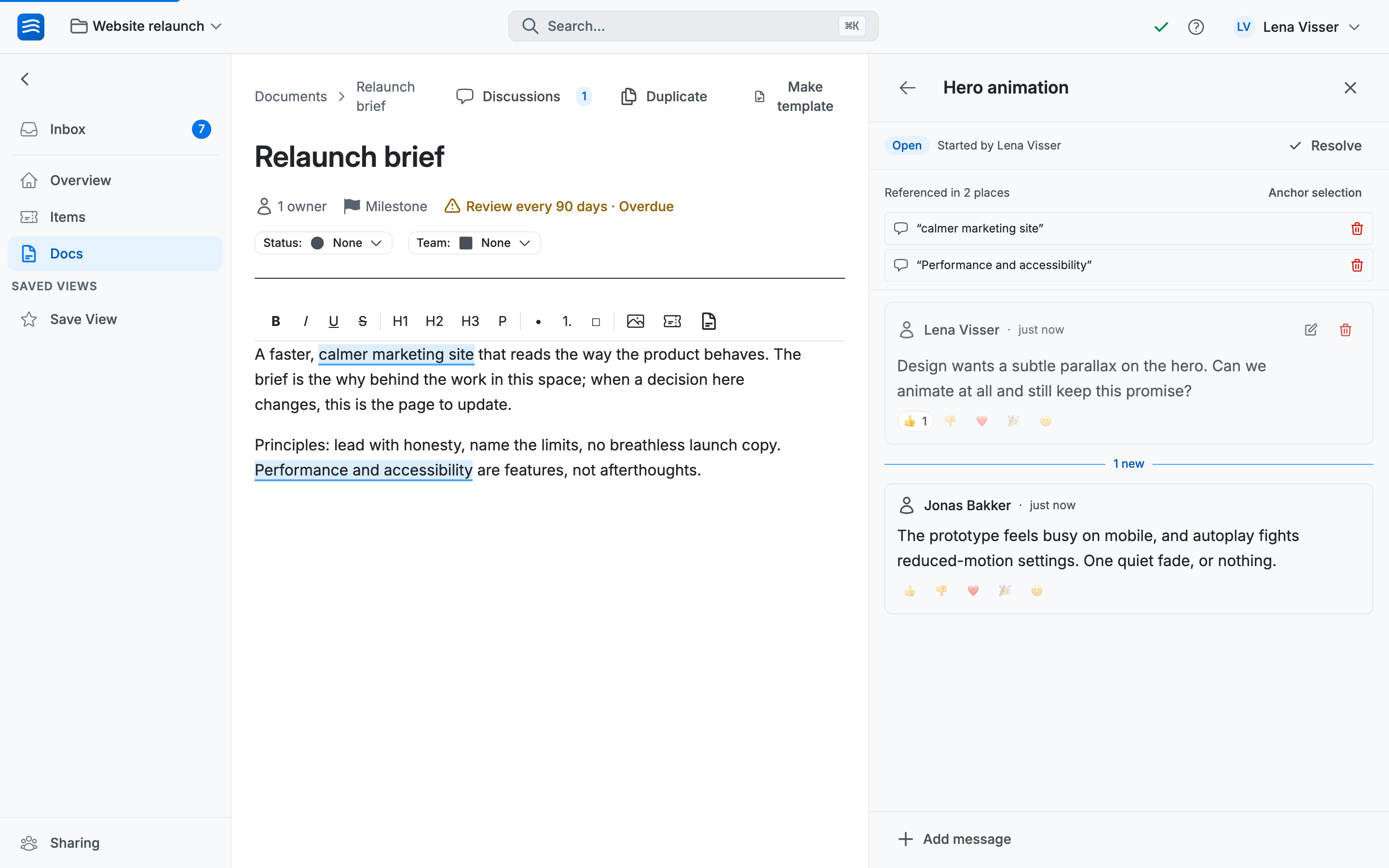
When the words change
Anchors ride along with edits. Write above, below, around them and they hold. When the anchored words themselves are rewritten, the chip picks up a changed badge: click it and a word-level diff shows the quote as it was against the text as it is, with Update quote to accept the new wording. And if the anchored text is deleted outright, the discussion keeps its quote, marked text removed: the conversation outlives the passage that started it.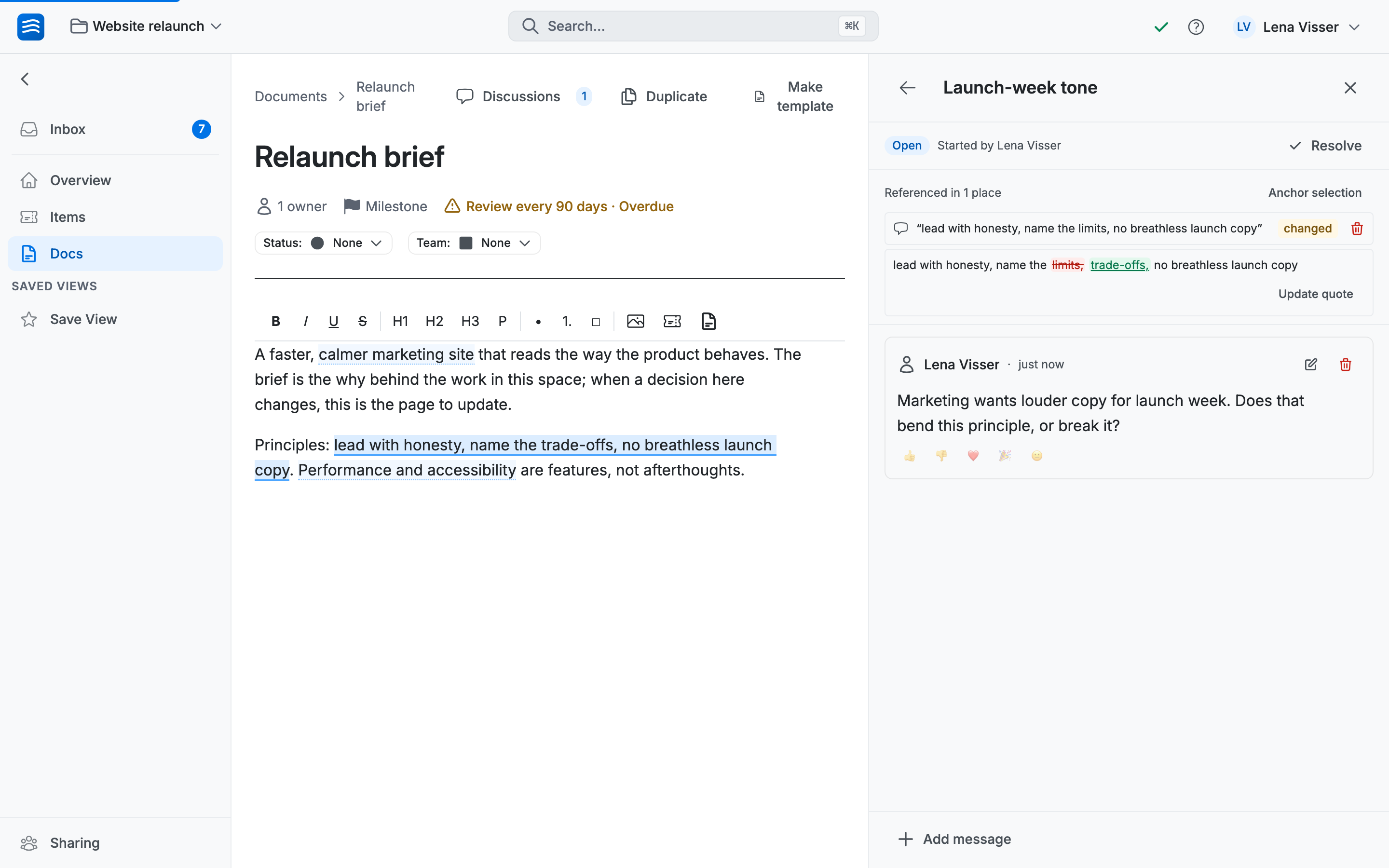
What discussions are deliberately not
Not a chat channel: a discussion expects to end, and it ends in a decision. Not item comments: those live on items and stay there. And not track-changes: the document's text stays clean. Anchors live beside it, never in it.