Learn · Planning ahead · 2 min read
Dependencies
Some work can't start until other work finishes. Tell Wodo about it: open an item, press B, and pick what it's blocked by.
What you get on the board
Cards involved in dependencies carry a small dot: this item has blockers, or is blocking others, or has blockers that aren't done yet. You can filter any view to blocked items only.
Blocking is informational, never enforced. You can complete a blocked item; Wodo asks you to acknowledge it, then gets out of the way. We assume you know something the data doesn't.
What you get on the timeline
Hover over an item on the timeline and lines appear, connecting it to everything it depends on and everything that waits for it, including indirectly, through the chain. The lines are colored by whether the schedule actually works:
- Green: the blocker finishes before this item starts. Fine.
- Amber: they overlap. Tight.
- Red: the blocker finishes after this item is due. The schedule is fiction; someone should look at it.
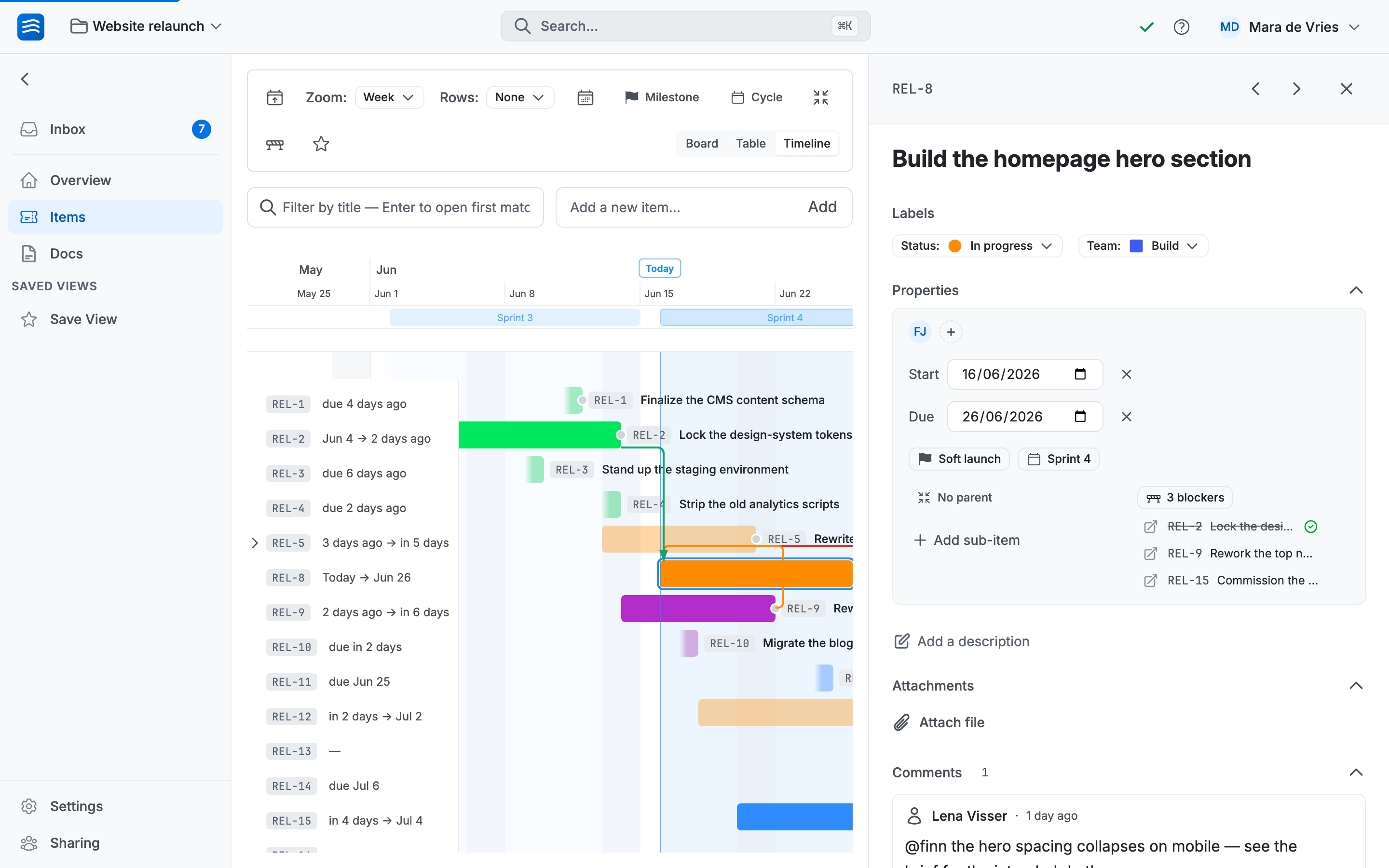
No alarms, no automatic rescheduling, just a clear picture on hover.
Moving one item, or the whole chain
Here's the move worth learning. When a blocker slips a week, everything behind it usually slips too. Instead of dragging five bars:
- Drag a bar: only that item moves.
- Hold Shift and drag: the item moves together with everything it blocks, the whole chain, keeping every gap intact. You see a live preview of where the chain lands.
One gesture, and the plan matches reality again.