Learn · Planning ahead · 3 min read
Calendar feeds
Deadlines don't live alone. They live between meetings, time off, and other people's plans. Calendar feeds put your Wodo dates into the calendar you already check.
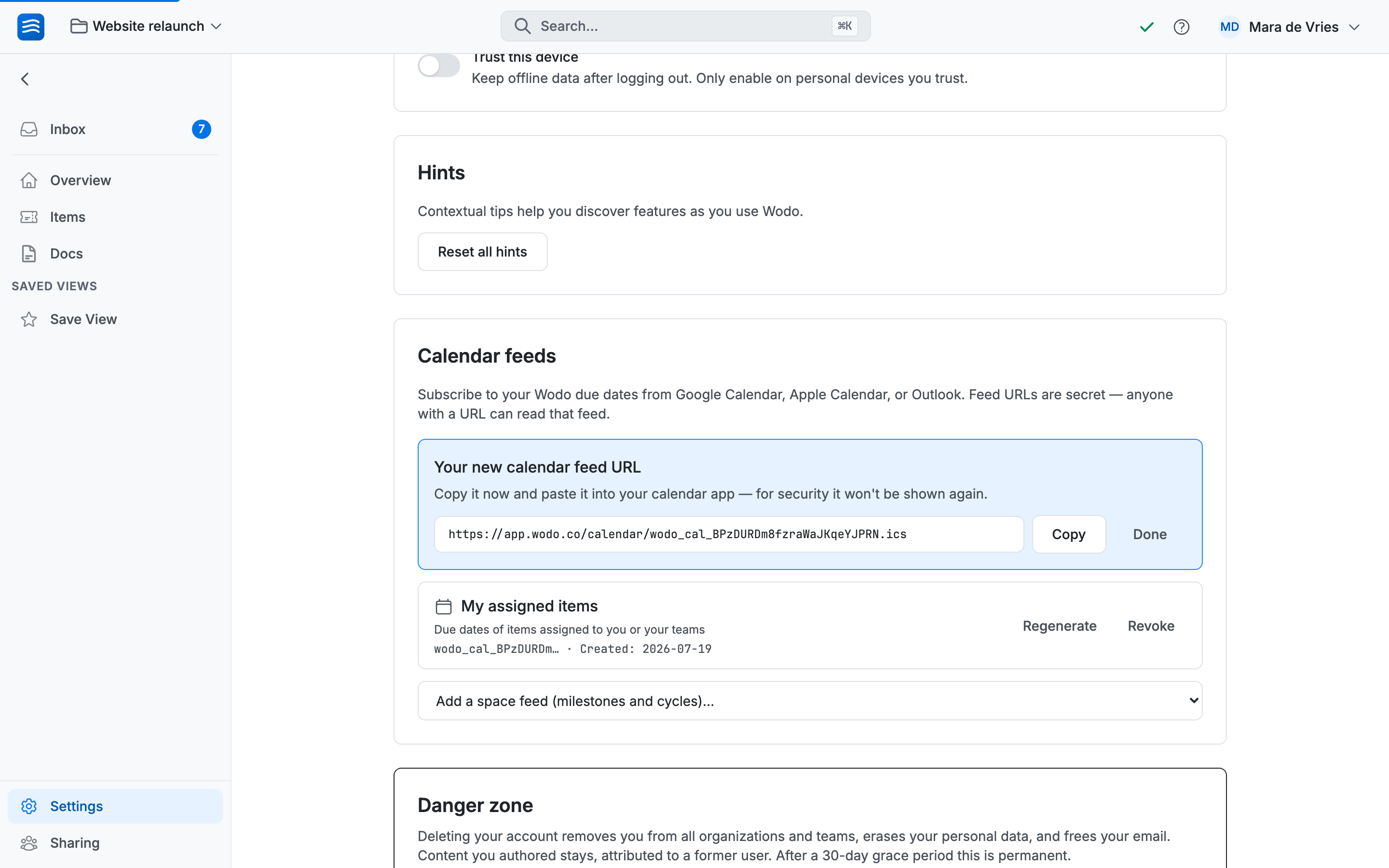
This is a personal feature, not an integration an admin installs. Every member generates their own feed URLs on the Account page, and each URL shows only what that member can already see.
Two kinds of feed
- My assigned items — the due dates of items assigned to you or a team you're in, across every space you can access.
- Space feeds: pick any space you have access to and get its milestones and cycles as a calendar of its own. Calendar apps let you toggle and color each subscription separately, so "my deadlines" and "the team's rhythm" stay distinct.
What lands on your calendar
Everything arrives as all-day events, so nothing ever collides with a meeting. Items appear on their due date with a link back to the item; milestones on their deadline; cycles as a span across their whole range. When a due date moves in Wodo, the event moves. When an item is completed or archived, its event disappears. Nothing to tidy up.
Subscribing
Generate the URL on your Account page, copy it (it's shown once) and add it to your calendar app as a subscription:
- Google Calendar — on the web: Other calendars → + → From URL, paste, Add calendar. The mobile app can't add subscriptions. Add it on the web once and it syncs to your phone.
- Apple Calendar — on a Mac: File → New Calendar Subscription, paste, and pick an auto-refresh interval. On iPhone or iPad: Settings → Calendar → Accounts → Add Subscribed Calendar.
- Outlook — on the web or in new Outlook: Add calendar → Subscribe from web, paste, give it a name.
Freshness and secrecy
How often events refresh is your calendar app's decision, not Wodo's: Apple Calendar lets you choose the interval, Outlook checks every few hours, Google Calendar can take up to a day. Changes always arrive, just not instantly.
The URL itself is a secret: anyone who has it can read the titles and dates in that feed. If it leaks, Regenerate. The old URL stops working the moment the new one exists. Revoke ends a feed outright, and losing access to a space or leaving an organization ends its feeds automatically. Nothing to remember on the way out.